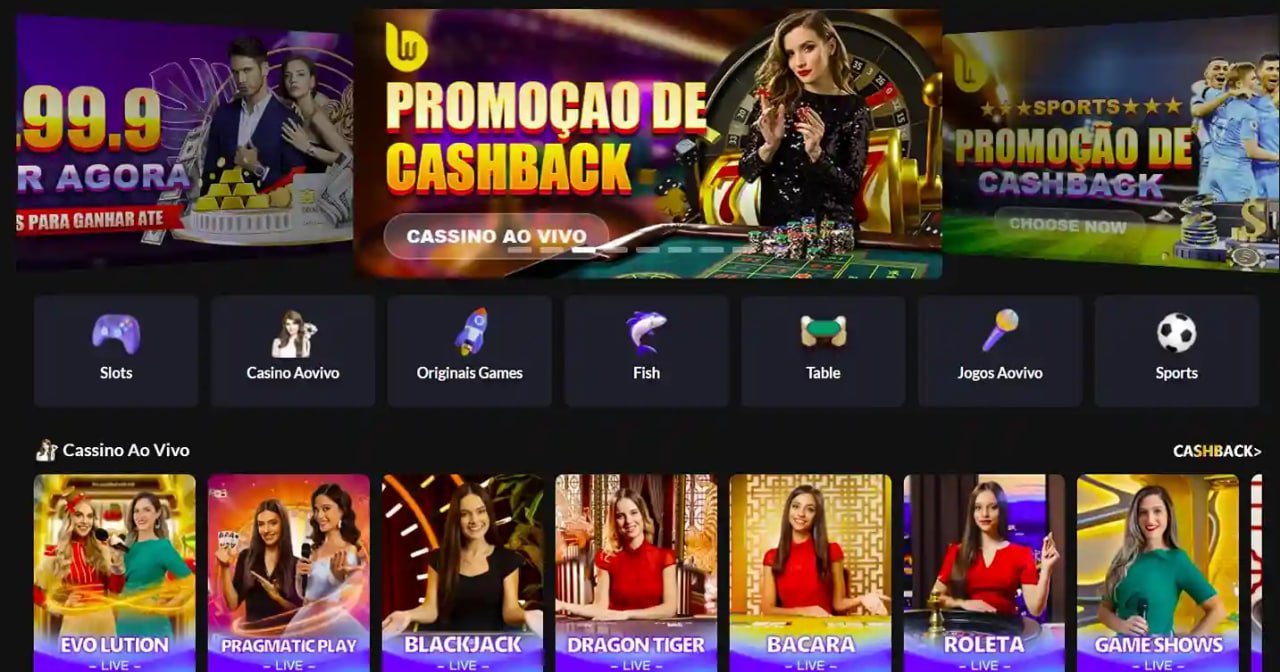
Play slots, bet on sports, join live casino tables, and manage your account in Philippine Peso — all from your Android or iOS device, anytime and anywhere in the Philippines.
Everything available on the desktop platform — optimized for touchscreens and Philippine mobile networks.
Larger tap targets, swipe navigation, and a layout built specifically for smartphone screens from 5 to 6.7 inches.
The 78ph app is optimized for Philippine mobile networks — games load quickly even on LTE or a stable 4G connection.
Access all 500+ slot titles, the complete sports sportsbook, live casino tables, and eBingo rooms without restriction.
Place in-play sports bets with real-time odds updates during PBA games, EPL matches, and esports tournaments.
Deposit and withdraw in Philippine Peso via online banking, mobile banking, and e-wallet bank transfers — all from the app.
Two-step login with OTP verification protects your account. Session encryption keeps your data safe every time you open the app.
Get notified about live events, sports kick-off times, and account activity so you never miss a key moment.
Contact the 78ph support team directly from the app without switching to a browser. Help is available 24/7.
The way Filipinos game has fundamentally shifted toward mobile. Whether you're commuting on the MRT in Manila, taking a break in Cebu, or winding down in Davao after work, the phone is almost always within reach. The 78ph app was designed with exactly this usage pattern in mind — a platform that feels native on a touchscreen rather than a desktop site squeezed onto a small display.
The difference between a well-built mobile app and a basic mobile browser experience is most obvious in fast-paced situations. When you're trying to place a live sports bet during a PBA quarter break, every second counts. The 78ph app shortens that process — the sportsbook loads in your pocket, odds are already up to date, and placing a bet takes two taps instead of five. That responsiveness makes a genuine difference for players who take live betting seriously.
The 78ph Android app is available as a direct APK download from the 78ph website, since gaming apps of this type are typically distributed outside the Google Play Store. Installing an APK on Android is a straightforward process that takes about two minutes, and you only need to do it once — updates are handled through the app itself.
To install the Android app: go to your phone's Settings, find Security or Privacy settings, and enable "Install from Unknown Sources" or "Install Unknown Apps" (the exact label depends on your Android version). Then download the APK from the 78ph Download page, open the downloaded file, and follow the on-screen prompts. Once installed, the app appears on your home screen like any other application.
The Android app works on devices running Android 6.0 (Marshmallow) and above, which covers the large majority of Android phones currently in use in the Philippines. If your phone is less than four years old, it will almost certainly be compatible. The app has been tested on popular Philippine market devices across a range of screen sizes.

iPhone users can access 78ph through the mobile browser on Safari without installing anything. The browser-based experience on iOS is highly optimized — the interface automatically adjusts to iPhone screen dimensions, touch gestures work naturally, and all features including the cashier, live casino streams, and sports betting are fully functional.
For a more app-like experience on iOS, you can add 78ph to your home screen directly from Safari. Open the site in Safari, tap the Share button at the bottom of the screen, then select "Add to Home Screen." This creates a shortcut that launches 78ph in full-screen mode without the browser address bar, giving you a cleaner interface similar to a native app. This approach works on all iPhones running iOS 14 and above.
All features available on Android — including slots, live casino, sports betting, eBingo, account management, deposits, and withdrawals — are equally accessible on iOS through the browser-based mobile platform. There is no feature gap between the two platforms.
Not everyone wants to install an additional app, and that's completely fine. The 78ph mobile browser experience is built to be a fully capable alternative. Open any modern mobile browser — Chrome, Firefox, or Samsung Internet on Android; Safari on iOS — navigate to 78ph, log in, and you have access to the entire platform without taking up storage space on your device.
The mobile browser version uses responsive design that adapts to any screen size. The navigation is simplified for smaller displays, the game tiles are sized for finger tapping, and the bet slip in the sportsbook stays accessible without covering the odds you're browsing. For players who prefer keeping their apps minimal, the browser version is a practical and equally capable option.
The 78ph app makes gaming convenient, but convenience should never replace good judgment. Set a budget before each session and use the app's account tools to manage your activity.
Responsible Gaming ToolsThe full process takes about two minutes on any Android phone running version 6.0 or above.

If you haven't already, register a free 78ph account. You'll need a valid email address, mobile number, and you must be 21 or older.
In your Android Settings, go to Security or Privacy and enable "Install from Unknown Sources" so your phone can accept the APK file.
Visit the 78ph Download page on your Android browser and tap the download button. The APK file will save to your Downloads folder.
Open your file manager or notification drawer, tap the downloaded APK, and follow the installation prompts. The process takes under a minute.
Open the newly installed 78ph app from your home screen, enter your registered email and password, and complete OTP verification.
Go to the Cashier section, deposit in Philippine Peso via your preferred payment method, and you're ready to play slots, bet on sports, or join a live table.
Both options give you full access to 78ph. Here's how they differ in practice.
| Feature | Native App (Android) | iOS Safari (Browser) | Any Mobile Browser |
|---|---|---|---|
| Full Game Library | Yes | Yes | Yes |
| Sports Live Betting | Yes | Yes | Yes |
| Push Notifications | Yes | Limited | No |
| Home Screen Icon | Yes | Add to Home | Shortcut only |
| Load Speed | Fastest | Fast | Good |
| Device Storage Used | ~35 MB | None | None |
| ₱ Deposits & Withdrawals | Yes | Yes | Yes |
| Auto-Update | In-app | Always current | Always current |
Managing your 78ph account from the mobile app is straightforward. The Cashier section gives you access to deposits, withdrawals, and transaction history from a single screen. All amounts are displayed in Philippine Peso, and there's no need to mentally convert currencies or deal with exchange rate adjustments.
For deposits, the app supports Philippine online banking, mobile banking transfers, and e-wallets as local bank transfer channels. After logging into the cashier, you select your preferred payment method, enter the deposit amount, and complete the transaction through your bank's authentication process. Most deposits reflect in your 78ph balance within a few minutes.
Withdrawals follow the same process in reverse. Select your linked Philippine bank account or e-wallet transfer channel, enter the withdrawal amount, and confirm with OTP verification. Processing times vary by channel — most Philippine bank transfers complete within one business day. KYC verification must be completed before larger withdrawal amounts can be processed, which involves submitting a government-issued ID once through the account verification section.
The 78ph app uses SSL (Secure Sockets Layer) encryption on all data transmitted between the app and the platform's servers. This is the same encryption standard used by Philippine banks for their mobile banking applications. Every login session is authenticated, and any new device or unusual login attempt triggers an OTP verification to your registered mobile number before access is granted.
Account security settings are accessible directly from the app. You can update your password, review active sessions, and manage your linked payment methods from the profile section. If you ever suspect unauthorized access, the app allows you to log out all sessions remotely — a useful precaution if your phone is lost or shared temporarily with someone else.
The app does not store payment credentials locally on your device. All financial transactions are processed through the platform's encrypted payment gateway, and your banking details are handled by the payment processors, not retained by the app itself.
Common questions from Filipino players about the 78ph mobile app.
Download on Android or access instantly through your mobile browser. Full gaming in Philippine Peso, wherever you are in the Philippines.
21+ only. Gaming involves financial risk. Please play responsibly within your means.